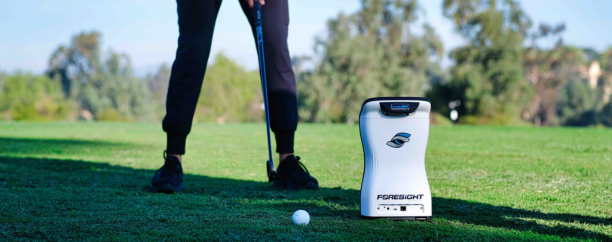
Which Foresight Launch Monitor Is Right for Your Golf Setup
The right launch monitor depends on more than accuracy. Your room, practice habits, budget, and need for portability should guide your decision.
All featured products are selected by our editors and may include affiliate links. If you purchase through these links, we may earn a commission.
Building a golf simulator sounds simple until you start choosing the equipment. You may begin with a spare garage, an impact screen, and plans to practice whenever the weather keeps you off the course. Then the questions start piling up.
Should your launch monitor sit beside the ball or stay mounted to the ceiling?
Will left-handed friends be able to use it?
Can you take it to the driving range?
Do you really need professional club data, or would that only make practice more confusing?
Choosing a launch monitor is not simply about finding the model with the longest list of specifications. A portable monitor might be perfect for a golfer who practices indoors and outdoors, while an overhead system may be far more convenient for a family sharing a permanent simulator room.
Start With Your Golf Setup Before Comparing Models
It is easy to become distracted by camera counts, data parameters, touchscreens, and simulator software. Those details matter, but they should not be the starting point. Begin with the room and the people who will use it.
Is your simulator permanent or temporary?
The type of space you`re using should influence your choice of launch monitor. A dedicated simulator room works well with permanent installations, while garages or multipurpose spaces are often better suited to portable floor-based systems that can be moved and stored easily.
Will you practice outdoors too?
If you plan to practice both indoors and outdoors, portability becomes a major advantage. A portable launch monitor lets you use the same device at home, on the driving range, or during club-gapping sessions while comparing data with real ball flight.
Who will use the simulator?
Think about who will be using the simulator on a regular basis. A floor-based monitor works well for a single golfer, while an overhead system is more convenient for families, teaching studios, or groups with both right- and left-handed players.
How much information will you actually use?
Not every golfer needs advanced performance data. Most players improve using basic metrics like carry distance, ball speed, launch angle, spin, and shot dispersion, while detailed club data is more useful for coaches, fitters, and experienced golfers.
What is your complete simulator budget?
Your budget should cover more than just the launch monitor. Consider the cost of the impact screen, enclosure, hitting mat, projector, software, computer, installation, and other accessories before making your final decision.
How to Choose a Launch Monitor
Choosing a launch monitor becomes easier when you first decide how and where you plan to use it. This is where the difference between ground-based and overhead systems becomes important. Foresight Sports offers both options within its current lineup. Its ground-based models include the GC3, GCQuad, and QuadMAX, while the Falcon and GCHawk are mounted overhead.
Neither style is automatically better. Ground-based monitors are generally more suitable for portable practice and temporary simulator rooms. Overhead monitors are better suited to permanent rooms, shared simulators, and spaces where keeping the hitting area clear matters more than portability.
Here is the simplest way to understand the lineup.
GC3 for Flexible Home Practice
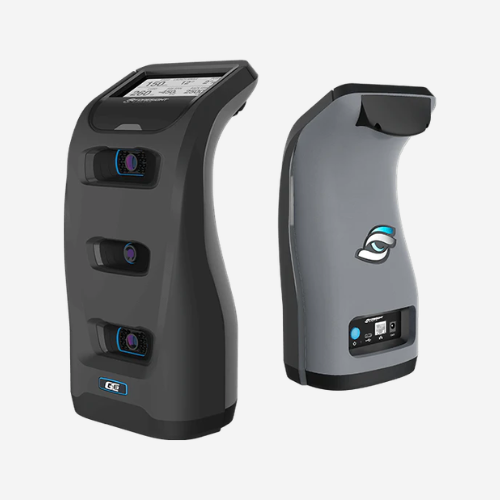
The GC3 is the most natural starting point for many serious home golfers. It uses three precision cameras, measures ball and club information, works indoors and outdoors, and is sold with simulation software without a required software subscription. Foresight also lists it at five pounds, making it easier to move between a simulator and an outdoor practice area.
The GC3 may suit you when:
Your simulator is in a garage or multipurpose room.
You plan to practice indoors and outdoors.
You need to store the monitor after each session.
You mainly want data for personal improvement.
You prefer avoiding an ongoing software subscription for the included Foresight package.
Best setup match: A garage, temporary simulator, or indoor-and-outdoor practice routine.
GCQuad for Advanced Golfers, Coaches, and Club Fitters
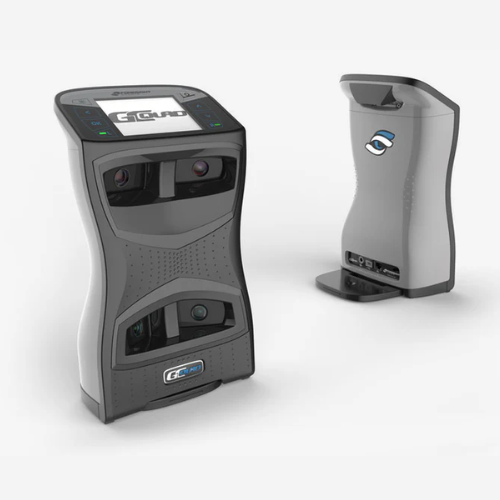
The GCQuad moves beyond the needs of the average recreational player. Its four-camera system measures ball information along with a wider set of club parameters, including loft and lie, face angle, impact location, and closure rate. Foresight positions it for use indoors and outdoors, and the unit has a removable rechargeable battery.
The GCQuad may suit you when:
You work with launch data regularly.
You are a golf instructor or club fitter.
You compete and follow structured practice plans.
You need more detailed club information.
You still want a unit that can be used indoors and outdoors.
Best setup match: A professional studio, advanced home practice area, or portable coaching and fitting setup.
QuadMAX for Professional-Level Analysis
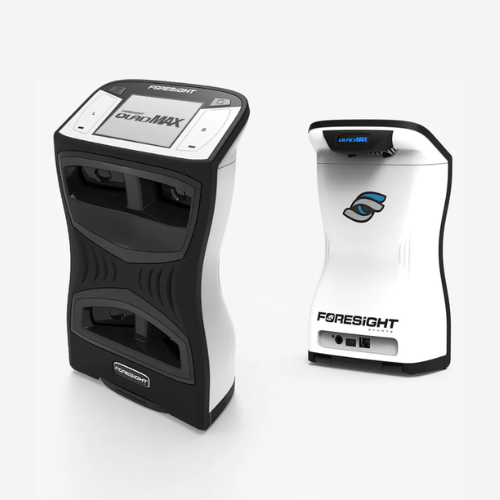
QuadMAX sits at the premium end of Foresight’s portable range. It builds on the four-camera system used by the GCQuad but adds a touchscreen, customizable on-device data through MyTiles, internal session storage, swing-speed training, and additional on-device parameters such as ball apex, descent angle, and distance offline from the target. Foresight also states that it has a larger battery and reduced weight compared with its predecessor.
QuadMAX may suit you when:
Launch data forms part of your coaching or fitting work.
You want to control and review more information on the unit itself.
You follow detailed performance and speed-training programs.
You need premium portable equipment for multiple locations.
You expect to save and analyze a large number of sessions.
Best setup match: A professional coaching environment, premium fitting studio, or advanced portable training setup.
Falcon for a Dedicated Home Simulator
Portable equipment is useful until you become tired of setting it up. For golfers with a permanent simulator room, the Falcon offers a different kind of convenience. It mounts above the hitting area, keeps equipment off the floor, and allows players to use the space without placing a monitor beside the ball before each session.
The Falcon may suit you when:
You have a dedicated simulator room.
Right-handed and left-handed golfers will share the space.
You want the room to remain ready for use.
You regularly play with family or friends.
Portability is less important than convenience.
Best setup match: A permanent residential simulator used by individuals, families, or regular groups.
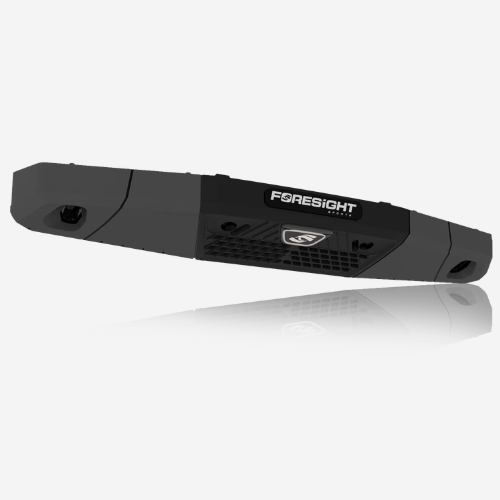
GCHawk for Premium Shared and Commercial Rooms
The GCHawk is another overhead option, but it is easier to understand when viewed as part of a larger simulator environment rather than as a personal practice device. Foresight positions it for residential and commercial spaces. It uses overhead image-capturing technology, measures detailed ball and club information, and can also support multi-sport simulation.
The GCHawk may suit you when:
You are building a premium permanent simulator.
The room will be used by many golfers.
You operate a commercial or teaching facility.
A clean and open hitting area is important.
Your household or business will use multi-sport simulation.
Best setup match: A premium residential simulator, coaching center, golf club, or commercial facility.
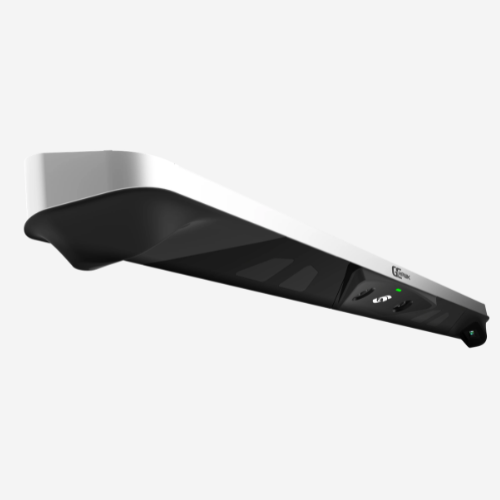
Do You Really Need the Most Advanced Model?
It is natural to worry about buying a monitor and later wishing you had chosen the next model up. That concern can lead golfers to spend more than necessary.
Consider what you will do with the information after each shot. A golfer working on carry distances, dispersion, and contact consistency may not need professional-level club analysis. A coach who makes fitting or swing decisions from impact data may quickly find the entry-level option limiting.
Your practice frequency also matters. Someone using the simulator four or five times per week can receive more value from a premium system than a golfer who uses it once or twice per month. The better monitor is not the one with the most features. It is the one that fits naturally into your routine.
FAQs
Which Foresight launch monitor is best for home use?
The GC3 is likely to suit many home golfers because it can be used indoors and outdoors without permanent installation. The Falcon may be a better choice for a dedicated simulator room shared by several players.
Should I choose a portable or overhead launch monitor?
Choose a portable model when you practice in different locations or need to pack away the room. Choose an overhead model when the simulator is permanent and several right-handed and left-handed golfers will share it.
Which Foresight monitor is best for left-handed golfers?
A left-handed golfer can use any suitable model. The Falcon and GCHawk become more convenient when left-handed and right-handed players frequently alternate because the monitor remains above the hitting area.
Can a Foresight launch monitor be used at the driving range?
The GC3, GCQuad, and QuadMAX are the relevant options for golfers who need indoor and outdoor use. Falcon and GCHawk systems are ceiling-mounted and intended to remain in a permanent simulator environment.
The right Foresight launch monitor depends more on your golf setup than on the product hierarchy. Before choosing, measure your available space, decide whether the monitor needs to move, and consider how much data you will genuinely use. You can then compare current packages and pricing to see which Foresight option fits your practice habits and long-term plans.
Stay connected with Savetomycart for information and tips on your gaming setup.
RELATED BLOGS
-

Can an Ionizer for Allergies Help People With Asthma and Allergies?
Allergies can make your own home feel like a trigger zone. An ionizer for allergies may help manage certain airborne particles, but knowing its limits matters before relying on it for cleaner indoor air.View -

Website Creation Services Offered by Squarespace
Avail of an interactive and modern website with the website creation services by Squarespace. A user friendly, practical, creative, trendy website within your budget.View -

Why You Should Purchase Domain from Squarespace
Squarespace is a platform that offers ease and convenience to its users. You can embark on a journey of effortless domain management and enhanced website security with Squarespace Domains. Explore and learn why purchasing a domain from square space is beneficial.View -

Google Professional Emails by Squarespace
Google Professional Emails by Squarespace provides businesses with a powerful email solution. It combines the reliability and security of Google Workspace with the ease of use and convenience of Squarespace`s intuitive platform.View -

Simplify Your Child Care Search with Sittercity
Finding reliable child care can be a stressful task for parents balancing work and family life. Sittercity makes it easy by connecting families with trusted babysitters and nannies through its user-friendly platform. The platform offers safety features, pre-planned activities, and access to skilled caregivers. Sittercity reimagines child care to fit modern needs.View -
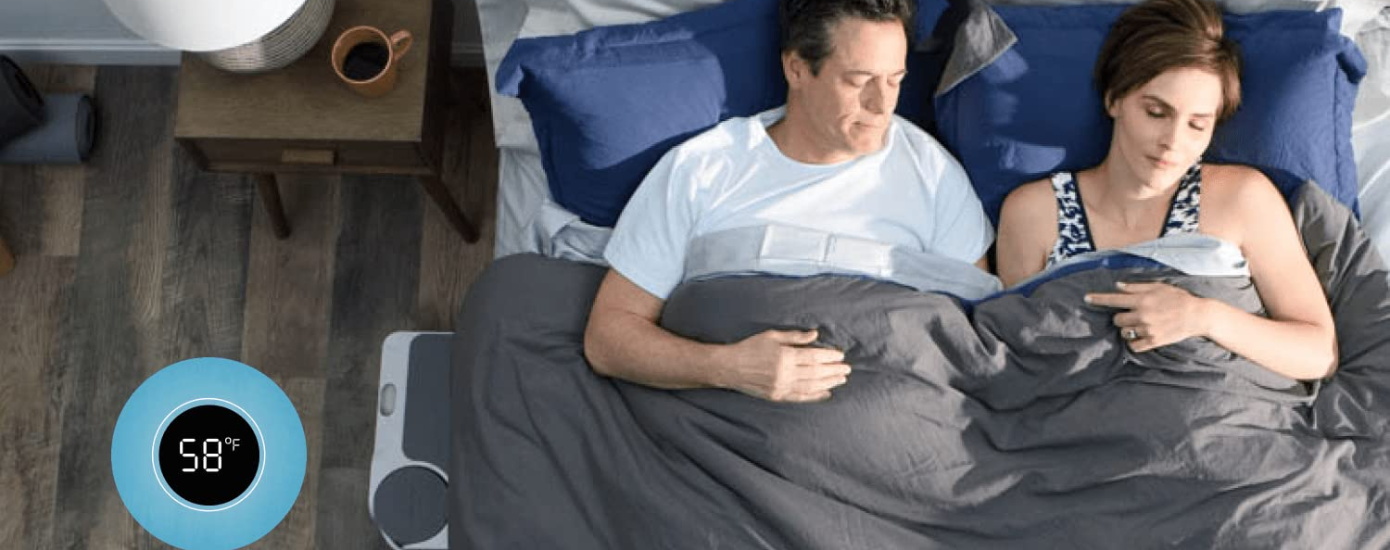
Discover the Solution for Better Sleep If You Wake Up Hot and Tired
If you are tired of battling night sweats and waking up groggy, it's time to explore a better solution. Traditional mattresses often trap body heat, making it difficult to maintain a comfortable temperature throughout the night. This can lead to restless sleep and morning fatigue, even if you've clocked in enough hours of rest. The Chilipad Dock Pro Bed Cooling System by Sleep.me offers an innovative way to regulate your sleep temperature, helping you enjoy uninterrupted, refreshing sleep every night.View -

The Best Lovevery Gifts for New Parents to Welcome Their Baby
Lovevery is a brand that provides suitable play kits for kids of all ages. Their unique toys are not only fun but also help in developing essential skills. For anyone looking to gift new parents, Lovevery offers the perfect options to support a child’s early learning and growth.View -

Sittercity Connects You With a Trusted Babysitter
Sittercity made finding a babysitter easy for parents. Their babysitting service is extremely reliable and trustworthy and will help parents find a reliable connection to the babysitter.View